Getting Start With InHouse – A Guide for New Users
What is InHouse from the Able Agent
Welcome to InHouse! Your agency’s very own, fully customisable Learning Management System designed for the property industry. This learning platform allows you to access, complete and manage a range of industry-led training, qualifications or indeed your very own agency’s learning programmes to help you progress in your career.
In this short guide, we’ll highlight all the main features of the platform and how you can get the most from your learning development.
Quick tour of the platform
Let’s start by taking by a look at the main menu on this example account. Firstly, lets start with your profile. Typically, your account will have been created for you already and you will be asked to login and create your own password prior to this point. Within here you can change your basic information, including adding your avatar, change your email address or other useful information.
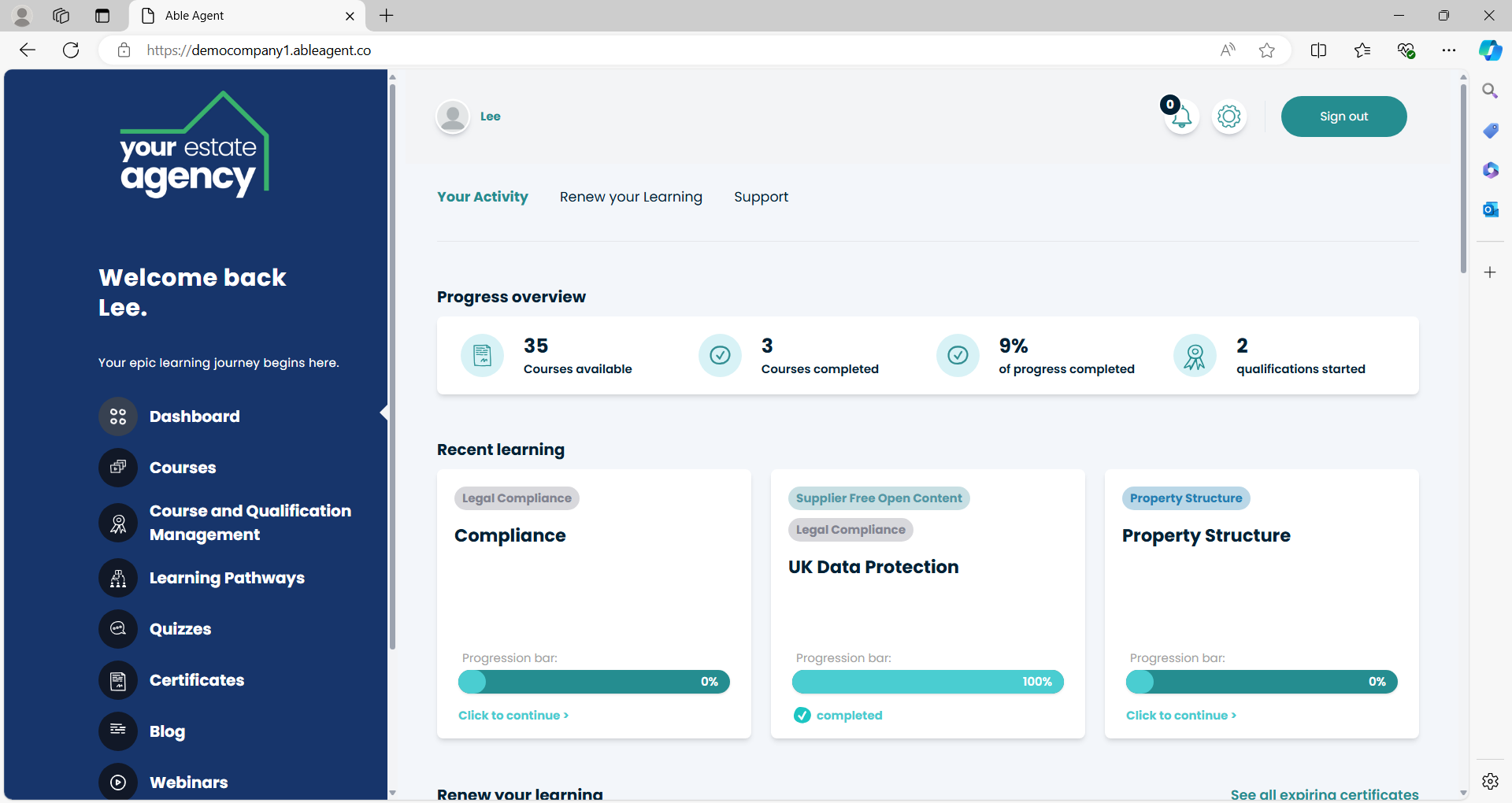
Next, we have a notification section, you may see from time-to-time message alerts which indicate that there is something to review within here. It may be the case that there has been a new course released, or a lesson changed for example. Additionally, you can also receive notification messages in this section from your management team or automated posts related to various activities completed on the site.
We then have a ‘settings’ section, for administrators you will be able access and edit various company information and display settings. Finally, you can sign out of your account in the main header area. Ok, so that is the main header menu items. Let’s get into the really useful tools of the platform, the dashboard area.
This progress section is a summary of the courses you have available to you, and information related to your progress related to these courses. You will also see a section titled “Qualifications Started”, don’t worry, this doesn’t necessarily mean have been formally enrolled onto an industry related qualification. One of the really nice features of InHouse is that it can track your progress towards various different qualifications if your company has decided to use these. It means that as you complete various different short courses across the platform it can also show you how much towards these qualifications you have made to help you decide how and when you undertake them.
This next section is nice and straightforward, it is a quick route to get back in the courses that you recently have had some activity in from your last login.
Following that we have a handy feature which relates to courses that have marked as ‘annually renewable’. Typically, if you are completing a compliance-related course from the Able Agent library, the course will automatically be marked to be retaken in 12 months’ time to help remind you of annual learning requirements. This may also be the case if your company has built its own courses that it wishes to be taken each year.
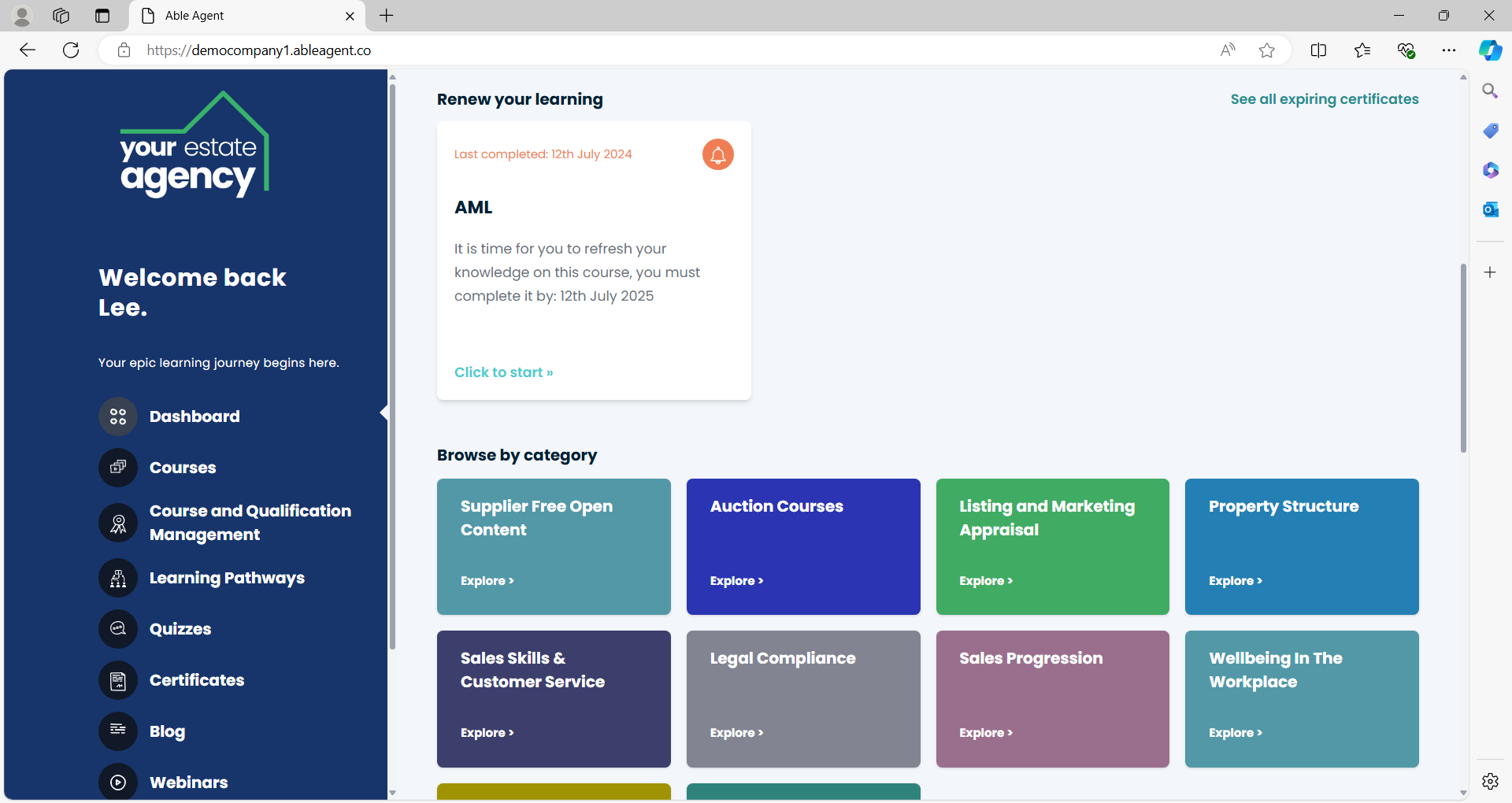
Further down this page we have one of the main ways navigate course using the Categories section. These are groups of courses collected into useful themes that may be more relatable to the type of work you do in your role, or where you are in your career and looking to develop. Again, this may contain categories from the Able Agent stock of courses or customised categories your company has decided to implement.
By clicking on a category, you will see it takes you to a series of courses that are related to that category. It essentially works as a filtering tool and you can utilise the other filter and sort tools at the top of this page in order to find a course that you would like to undertake.
Returning back to the main dashboard page we have 2 x really helpful features that can help direct your studies depending upon whether or not you are looking to undertake a qualification, a customer learning pathway or potentially both.
If made available to you, this qualification feature will help you track you progress against various industry recognised and regulation qualifications. These are associated with the progress that you make in the individual short courses you complete across the platform. Let’s take a look, by selecting this qualification, you can see it has now outlined all of the associated courses that you need to complete in order to fully complete this qualification should you or your employer wish to. This is based on the individual lessons completed within each of the courses that combine to create a total.
Now going back to the Learning Pathways feature, these work in a very similar way. However, rather than collating the courses related to a specific qualification these are prescribed learning pathways that your company may wish you undertake. For example, you may have a specific set of courses that should be taken as a new employee which have been grouped in a particular order for you to take. Likewise, your agency may have specialist training routeways to help further your career. These will be typically setup ahead your first login or introduced at some point and really help give you a direct approach to your learning and development.
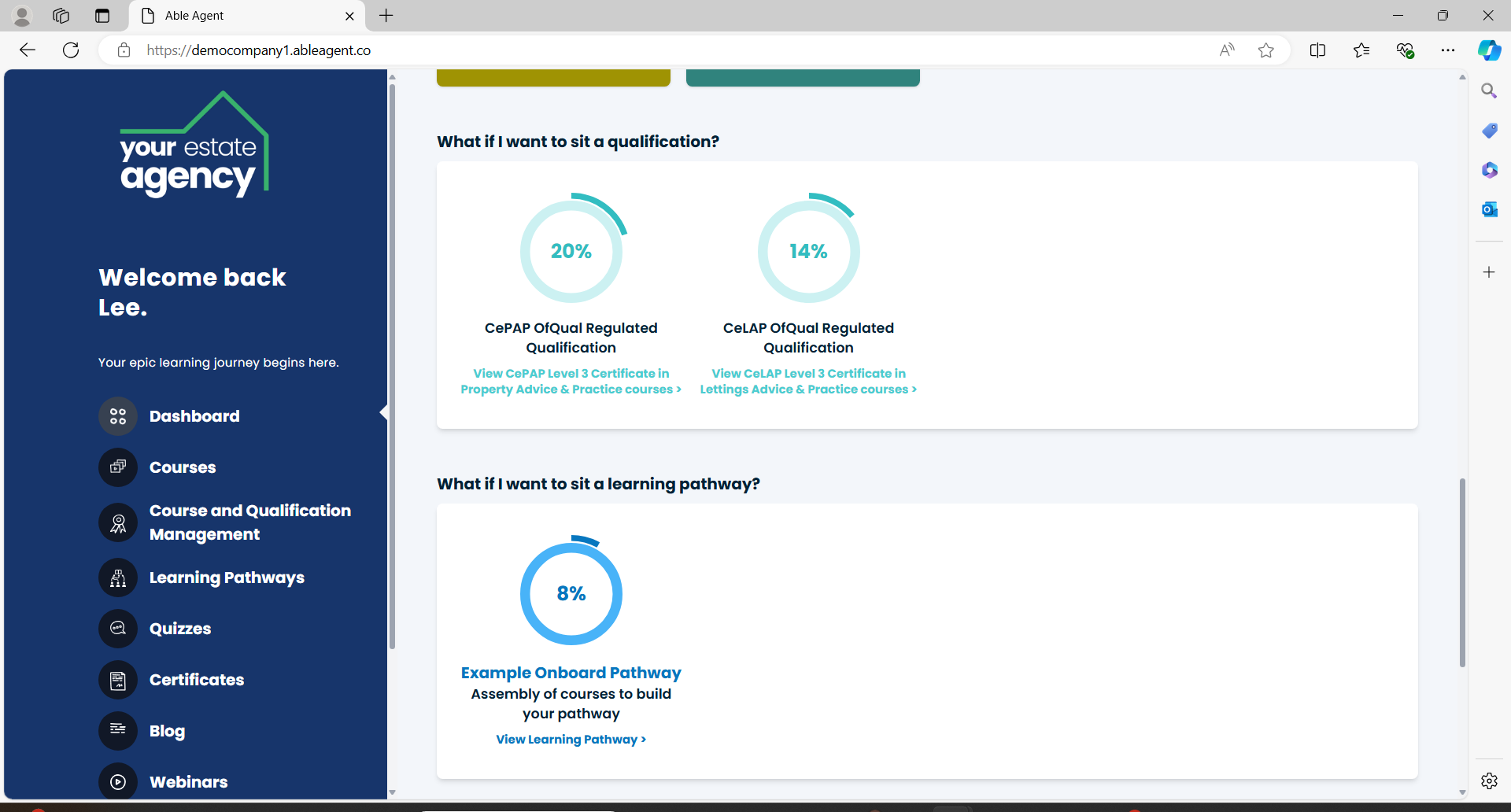
The final element of the dashboard area is some further support resources and links, these may change from time to time and include various guides, blogs, live event links or also courses that can help maximise your experience using the platform or answer any questions you may have.
Getting started with InHouse from the Able Agent
Ok, you should now be familiar with the main features and functions of the home dashboard. There are some other sidebar menu items that will be useful to you as you start to complete your learning that you can explore. These include quick access to courses, qualifications and pathways information. As well as quizzes you may want to visit directly from within each course or getting access to your certificates. For now you don’t need to worry about these, but feel free to take a look or return to these sections once you have completed some of your learning.
Administrators will also see some additional menu items that we will cover in more admin specific guidance materials.
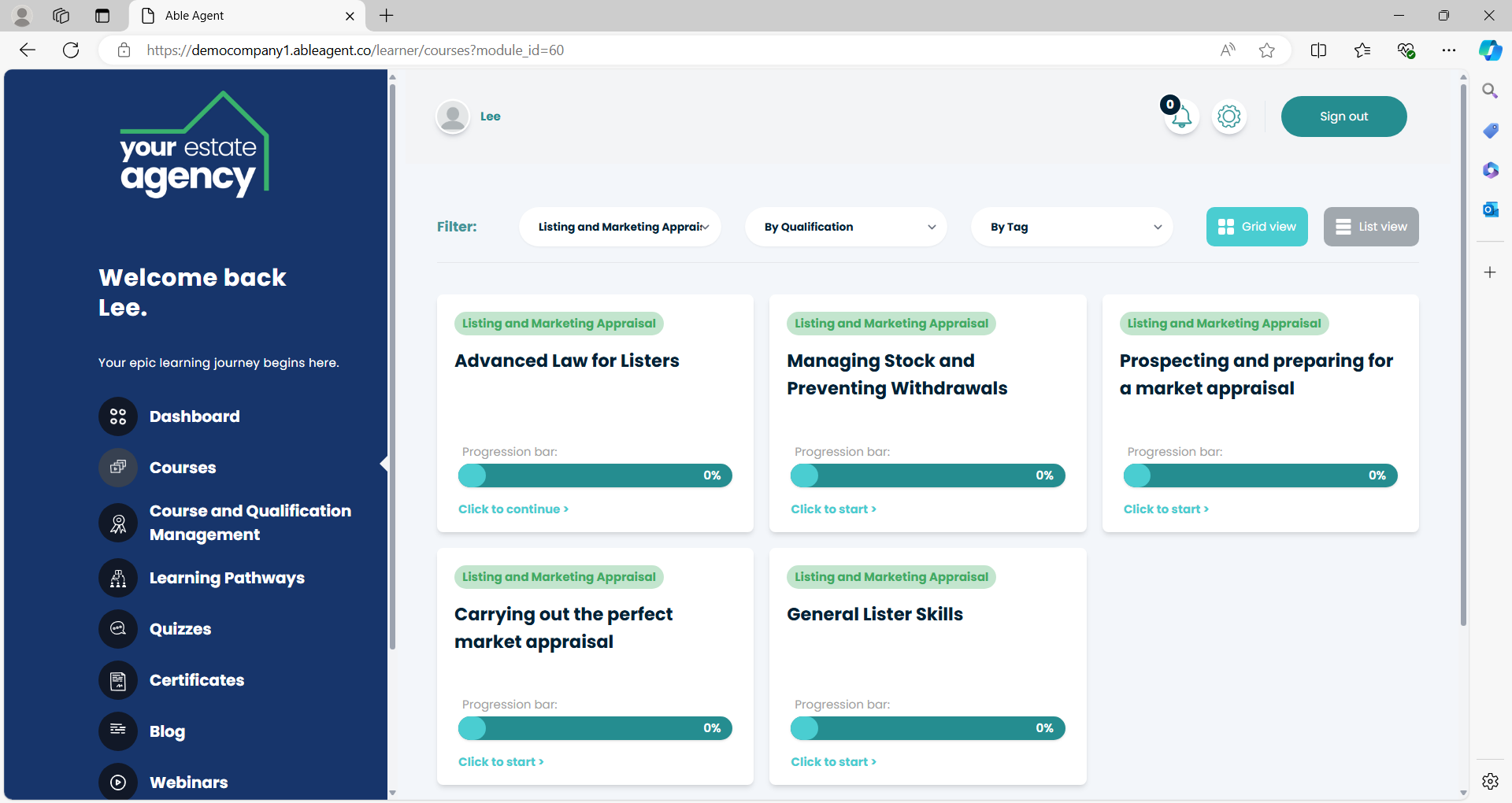
So, we’re now ready to undertake our first online course. Navigate to a relevant course using the categories, courses or pathways tools. The first thing to check is whether or not you have access to the course, if it is restricted it will show a padlock in the corner of the course tiles. If available to you, you can now select this course and will be taken to a course landing page area.
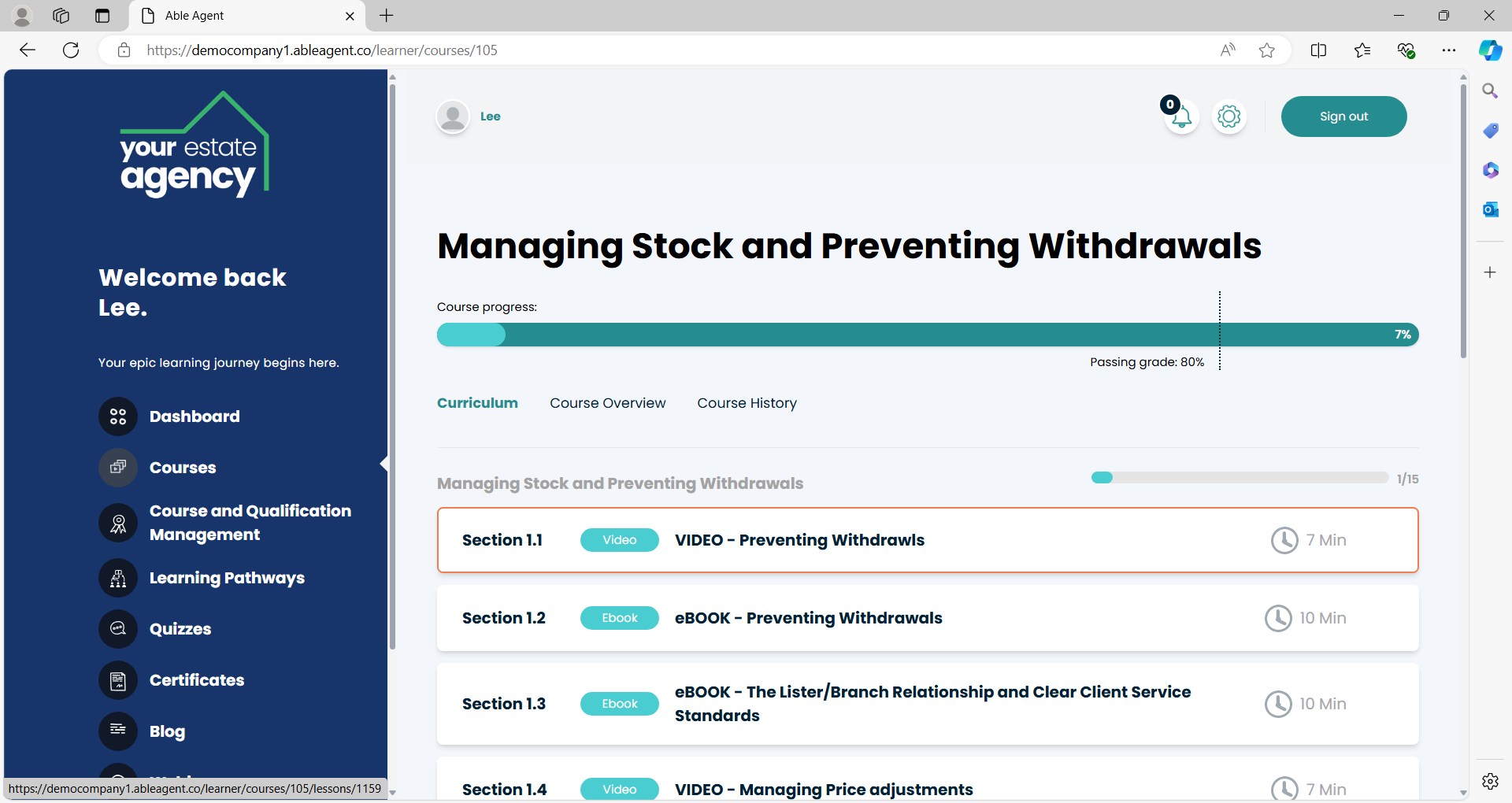
This contains more specific information related to that course, including a full list of all the lessons that make up the course curriculum, an overview – allowing you to gain some course insights before you decide to start it, as well as your previous course history. This feature records previous completions of the course. This comes in handy when you have to retake them, such as for annual compliance reasons, or if there has been a course update and new lessons have been made available since you last visited it. You can retake the course and still keep a record of your previous completion information.
You’ll notice that alongside each lesson is a duration indicator, this is an rough estimate of the time it takes to complete that lesson and often presented in a very micro-learning fashion. Please notes these are for guidance only, we understand everyone learns in very different ways and at very different rates and should be used for reference only. Finally it also shows a progression outline so can monitor how far you are from passing the course.
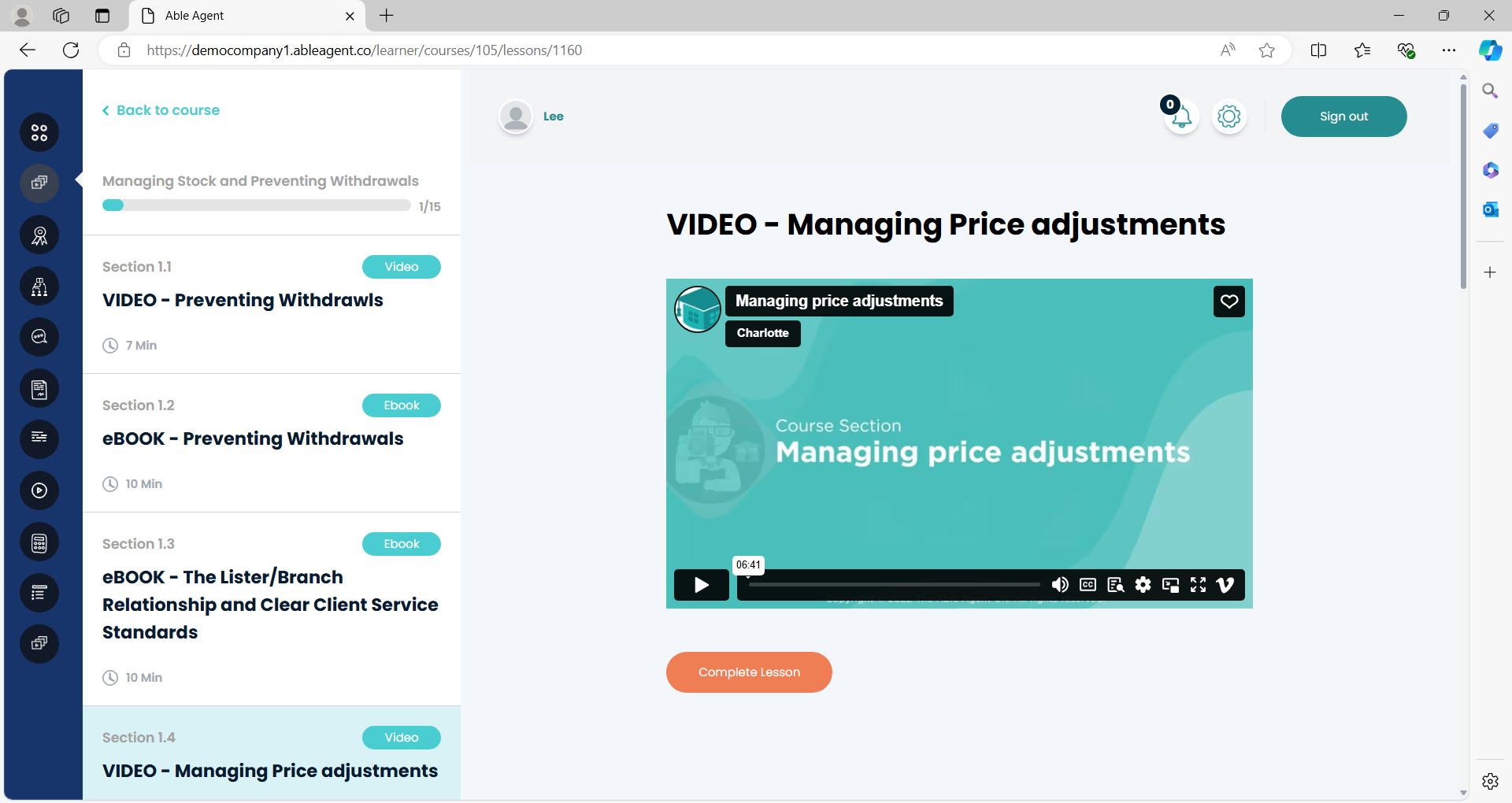
To start the course, simply click on the first lesson in the curriculum. In this view you are now in the ‘learning area’ of the platform and presented with the individual lesson content. Depending upon which courses you have access to from The Able Agent library or from your employers own courses, you will be presented with various types of learning and media content as well as quizzes and resources depending upon the course structure.
In order to indicate you have completed a lesson and want to log your progress in your profile, simply mark the lesson as ‘complete’ once you have finished and progress to the next lesson.
It’s important to note, that depending on the restrictions set on the course you may be enforced to ‘complete’ a lesson before you are allowed to progress onto the next one. Likewise depending upon your learning needs, some courses allow you dip in and out of lessons at your choice. Hopefully the lesson titles make it really easy for you to find the piece of knowledge you are looking for!
Many of the Able Agent courses, and likely some of your own agency’s courses, are likely to contain a quiz of some form. These are relatively straightforward to follow, typically they need one answer to be select and then submitted. Once you have submitted the final question you will be provided with a summary of the quiz and your results, along with the ability to retake it and an indication of how long it took you to complete it.
A successful pass of the course will trigger your certificates to be made available in the certificate section and you can move onto another course when ready!